Creating Fire & Smoke VFX (Week 8)
Creating Fire and Smoke VFX
For this week, I was tasked with creating two small VFX In Unreal: smoke and fire. I will include a summary of how I have set up these VFX and their emitters.
How I would use this in my environment is that one of these made-up games featured in this commercial like this game could be set in a forest and could be on fire, and a lot of smoke would appear around them in this made-up game, and the fire could act as another light source in this scene.
Making a Niagara System
Firstly, I will be looking at the smoke VFX that I created to make any VFX inside of Unreal, and you must use a Niagara system, as this allows you to control everything related to your VFX and adjust them all to your liking.
To make a Niagara system in Unreal, you right-click in the content browser, and the option will appear for it. There are templates you can use for your VFX, and the type of template you use depends on what type of VFX you want to create.
Niagara Editor
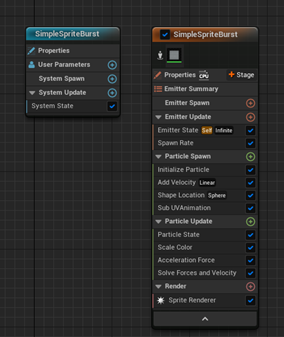
To edit your VFX, you need to open the Niagara system you have created, which can be done by double-clicking on it in the content browser. Then it will open a new window, the Niagara editor, and you will notice that the emitter stack is made up of different groups, allowing you to change different aspects of your VFX.
Emitter Spawn
The first group is the emitter spawn which determines what happens. The CPU first creates the emitter, and this group is used for the initial setup of your emitters and the default options for them.
Emitter Update
The second group determines what happens to the emitters every frame, as in this group, they will update every frame by the CPU. You can use this group to define the spawning of your particles when you need them to continue spawning every frame.
Particle Spawn
This group will be called once per particle is created, and it will only occur when that particle is first created. You should use this group to define details of your particles when they are first created, such as the size of it, the location of it, what colour they will be etc.
Particle Update
The last group will determine what will happen to the particles every frame, and the reason you might want to use this group is for adding changes that need to happen frame by frame for example, if you want the particle colour to change over time, you could do that in this group.
Changes I Made in the Niagara Editor
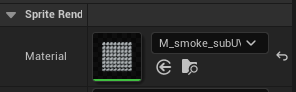
Firstly, for the smoke, I needed to add the sprite that I wanted to use, so it would look like smoke, and the sprite can be changed by going to the render tab and selecting the smoke material that I want to use.
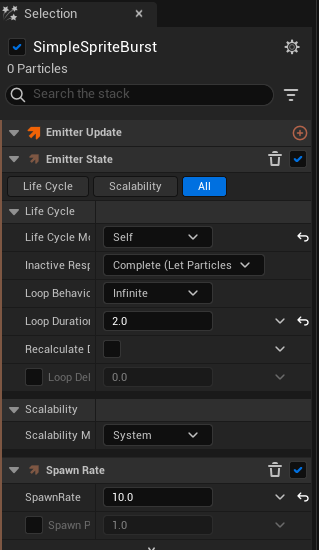
Then I will go to the emitter update because I need to make the smoke to be constant, not just one burst of the smoke, so to change this, I will delete the spawn burst section here and replace it with spawn rate, which will allow me to choose how many the smoke will spawn in the world, and I will set the spawn rate to 10.
Lastly, here I need to change the life cycle of the VFX because I need to make it loop forever which can be done by setting the loop behaviour to Infinite.
Particle Spawn Section
Under the initialize particle section in particle spawn, I will change the point attributes lifetime mode to random, and the reason I chose to do this because the smoke when it moves, won’t just stay in one place. It will move randomly, making the smoke more realistic, and I set the range from 2 to 3.
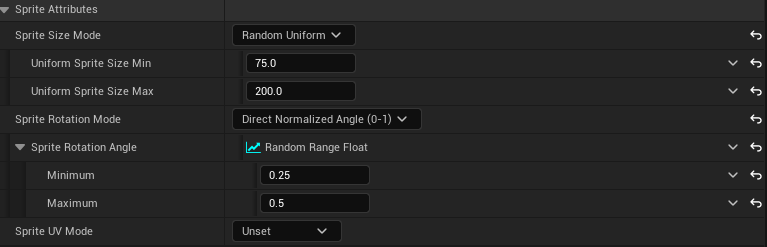
Also, I need to increase the size of the smoke and to do this I went to the sprite attributes section and changed the size. Lastly, I changed the sprite rotation so that it would be calculated between 0 and 1 instead of using degrees.
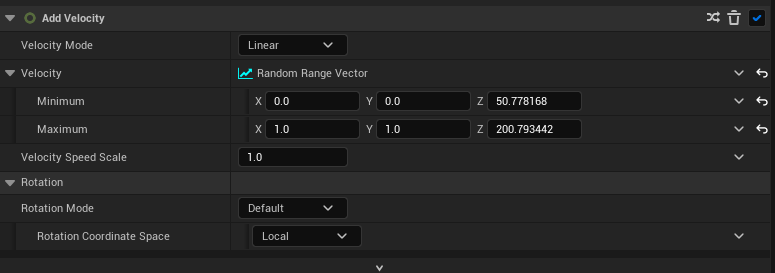
Next, I am going to add velocity to my smoke so that when it spawned in the world it will start moving automatically so this can be added by pressing the plus icon on the particle spawn and search for velocity and then I will determine the values of the velocity.
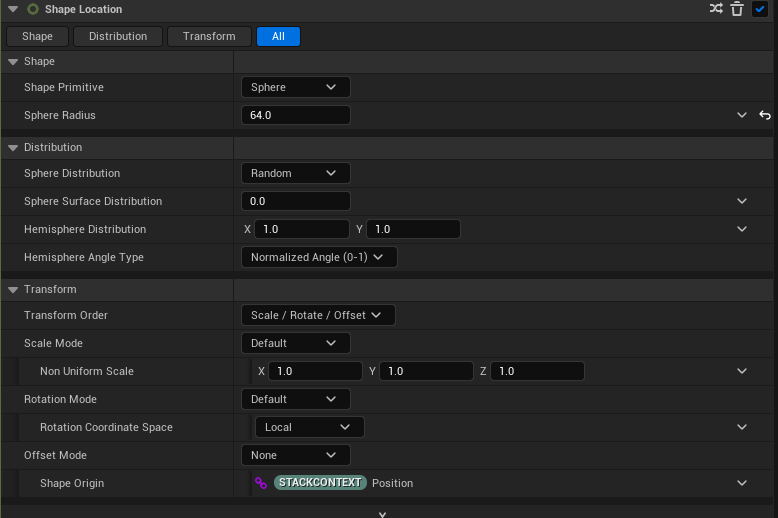
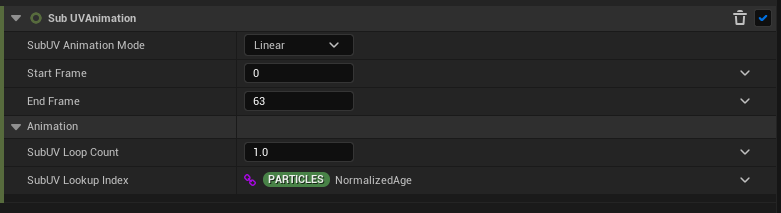
Lastly, I am going to set the shape location of the smoke to a sphere, and the sphere’s radius will be 64. The distribution of it will be random, and since the sprite I am using is a sprite sheet which has multiple images on it, it can be used to be put together and be used for animation. I need to sub UV animation so the sprite sheet will work correctly. The process of me creating the fire is similar process to me making the smoke.