VR Immersive Art (Week 4 Lab)
Adobe Aero
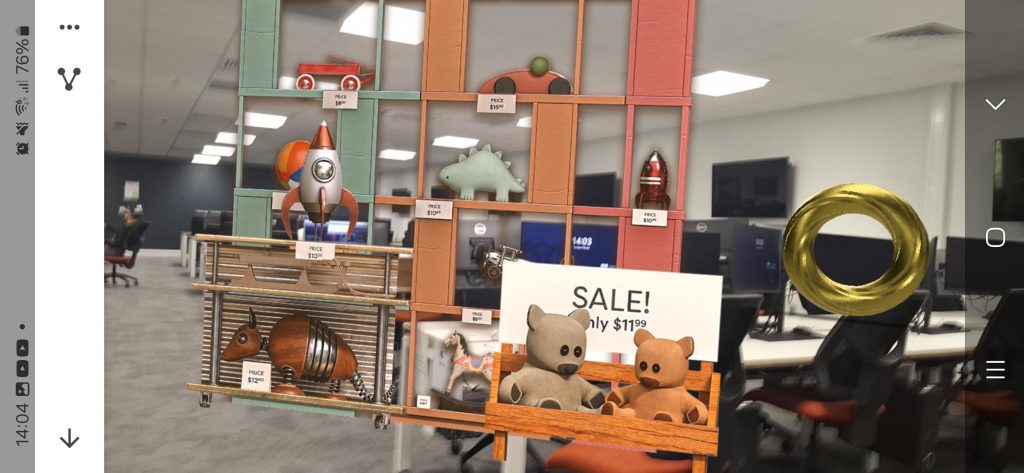
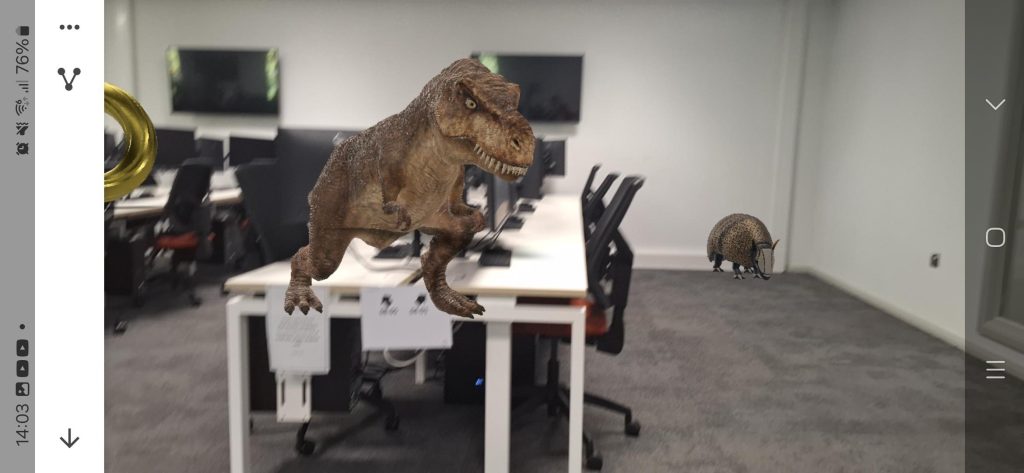
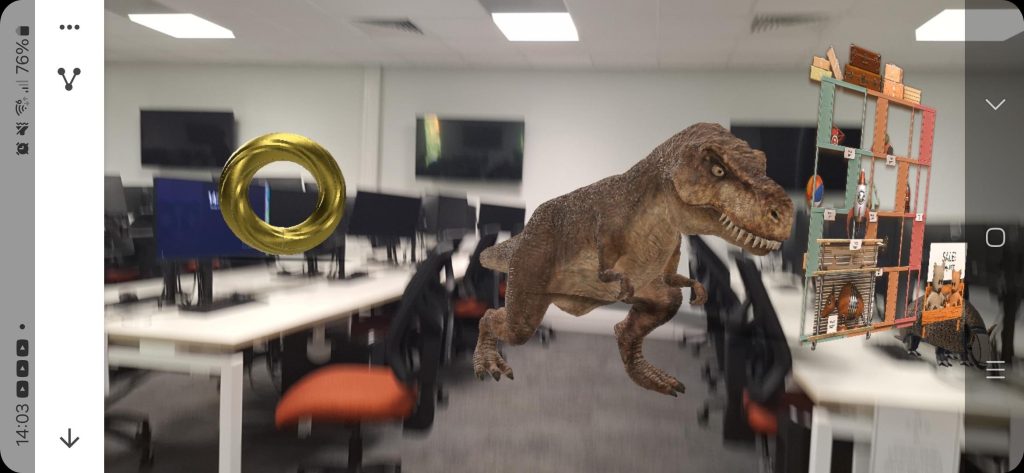
Also, we were tasked with trying Adobe Aero as a group and which is a designed to help you make an AR experience similar to Zapworks however you can edit it from a ipad and you don’t have to do any setup at all if you just need the app downloaded you can start a project and start adding objects there alot of pre made to select from so as a group we selected a couple of models such as a dinosaur, robot, cylinder etc.
It’s easy to increase the size of objects you can use your fingers and make a pinch motion to make it larger or smaller in size and you can simply tap on the object to move it around your environment also another way to edit project in on the desktop app this has a wider selection of pre made 3D assets you can choose from. However, you can’t have it open on the ipad and desktop at the same time. So what we did was select the 3D assets we wanted on the desktop app and saved it and then adjusted the scale and position on the mobile app.
Gravity Sketch
The next thing we did was use gravity sketch which allows you to draw anything in a 3D space so this could be use for if you want to quickly come up with a idea like for example if you wanted to make a quick mockup for a level you could draw it out in here and get the rough scale of it and the general idea of it.
It’s simple to use to draw you just press down on the back trigger and draw where you want just by looking at the area you want it in so for this I decided to create a house I was able to create the rough outline of house I drew some windows and tried to make parts of it look like bricks but I don’t think that work out too well and I tried to colour in the house however it ended up just making thick lines there looks like there is a colour fill tool but I didn’t find it until after I did this also I couldn’t figure out how to undo something I couldn’t see a eraser or back button in the UI.
ShapeXR
For ShapeXR we can add pre made assets it’s mainly basic shapes but it also has the drawing tools like Gravity Sketch so I decided to draw a basic stick man in the scene also another person can acess it from a web browser and edit it at the same time so one person can work in VR head set and another person on a PC so ShapeXR could be good if you need create a mockup for a Idea you could show it to someone this way or if your working on a group project this would be good software to use as with the others you would take in turns to use to the VR headset if you working in a group.
OpenBrush
For openbrush as a group we were tasked with creating a diorama and openbrush works similarly to gravity sketch where you draw on the screen there are no options to use 3D shapes like ShapeXR has however Openbrush has one thing the others can’t do is that you can various effects to improve your creation like for example you could add is smoke coming from a fire. How these effects work is that they are just different brushes to use so overall it’s very simple to use.
Use Case for VR Art
I would personally use applications like OpenBrush ,GravitySketch & ShapeXR in the concept phase of a project as it allows you to sketch out your ideas and since it’s in a 3D space you can the rough scale of how large or small it could be this would be great if your desiging a environment for a game level.
You could use Adobe Aero for showing off 3D models you have created to some one elese as all they would need to scan a qr code you send them and install the app and now it’s on there phone you could use this to gain feedback on the 3D model this would be useful in a group project and it requires less setup than Zapworks.