Animation In Photoshop
What is Animation?
Animation is where you will make images appear as they are moving so it will create this effect/illusion of that object is moving when in reality it isn’t also animation originally would have been hand-drawn on cells nowadays animation is mainly done by doing it digitally using programs like Photoshop etc.
The Process of Making Animations in Photoshop
Now I am going to discuss how I went about making an animation in Photoshop so firstly I decided to animate a walk cycle and the reason I chose to do a walk cycle as it would be very simple to animate also due to that walk cycles are commonly used in games so it would be a good thing for me to practice.
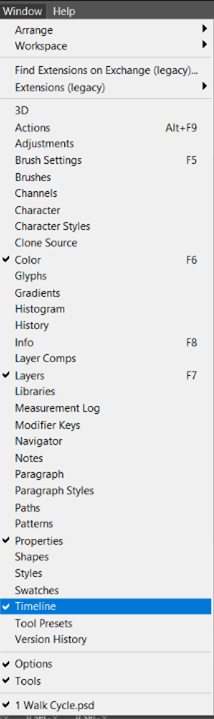
So, the first thing you need to do before animating anything in photoshop you need to get the timeline view to show on your screen so we can see the individual frames that I am going to animate so to do this you need to select the window button and look until you find the timeline and click on it and now the timeline view will appear on your screen and in the window where the timeline is you will get two options to be from and in this case I am going animate the walk cycle frame by frame. Also, you can see what these options look like below.
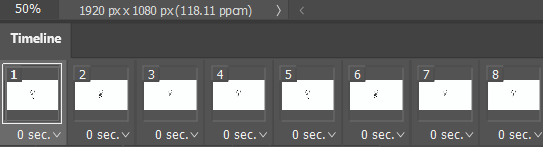
Now, the next thing you need to do when animating stuff in Photoshop is to draw the frames of whatever you are trying to animate and this can be done by using the brush tool which allows you to draw in Photoshop and when you are done with one frame of your animation and want to add another frame so you can continue your animation you can do that by clicking on the plus icon that is on the timeline view.
The Animation that I Created
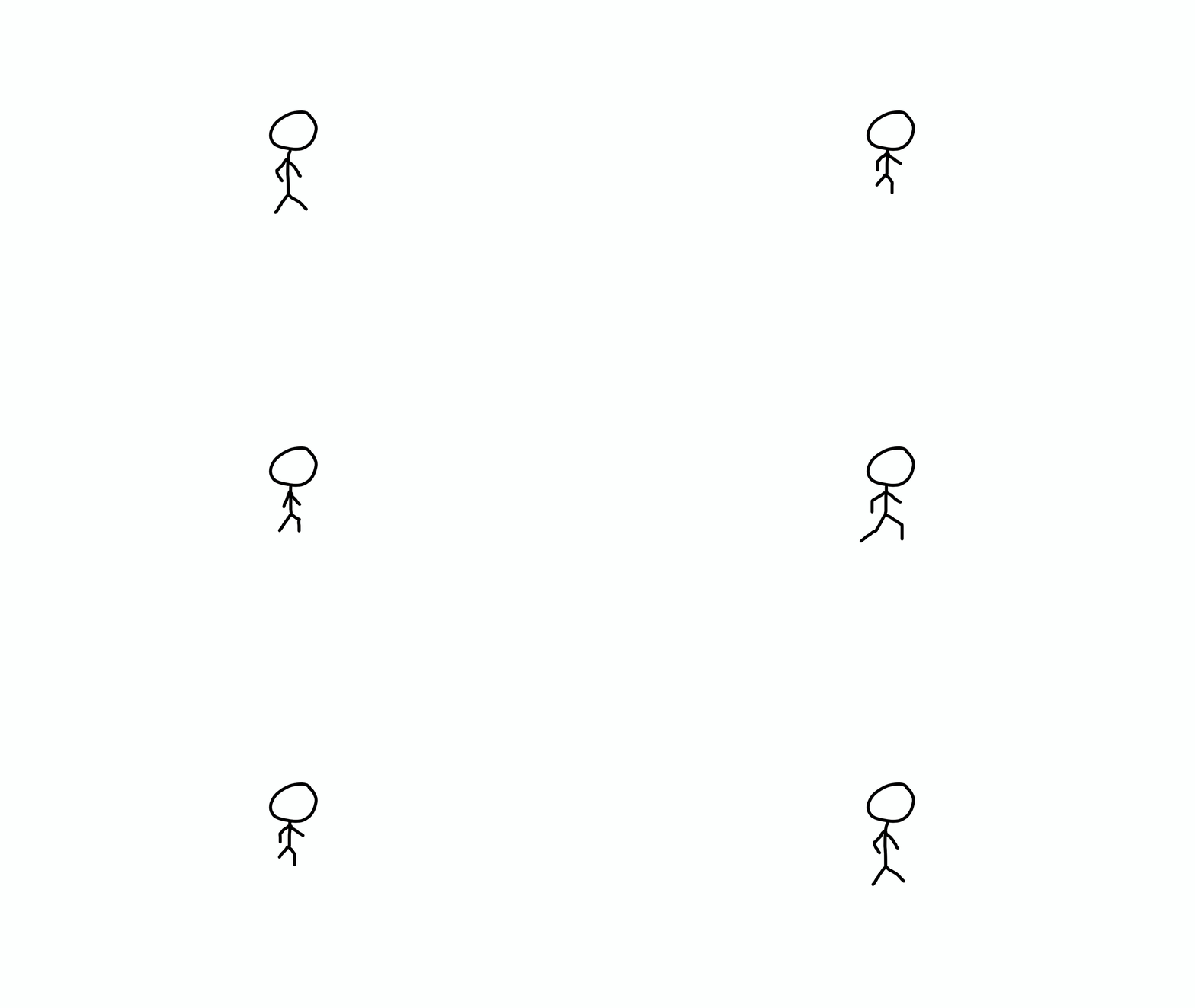
Here’s the animation of the walk cycle that I created using photoshop I decided to draw a simple stick man so I could get the basic movement of his walking down however this animation didn’t turn out exactly the way I wanted it to and what I mean by that is that his movement doesn’t look very natural so if I were to animate something like this again I would try to make the movement look more smooth and natural-looking.